
Isolated sessions
Each account has its own login, cookies and storage — like separate computers, in one app.
Stop juggling phones, browser profiles and WhatsApp Web tabs. GlotChat runs each account in its own sealed session, shows which number every notification is for, and switches between them instantly.
Each account has its own login, cookies and storage — like separate computers, in one app.
Every notification names the account it belongs to. Click it and the right chat opens.
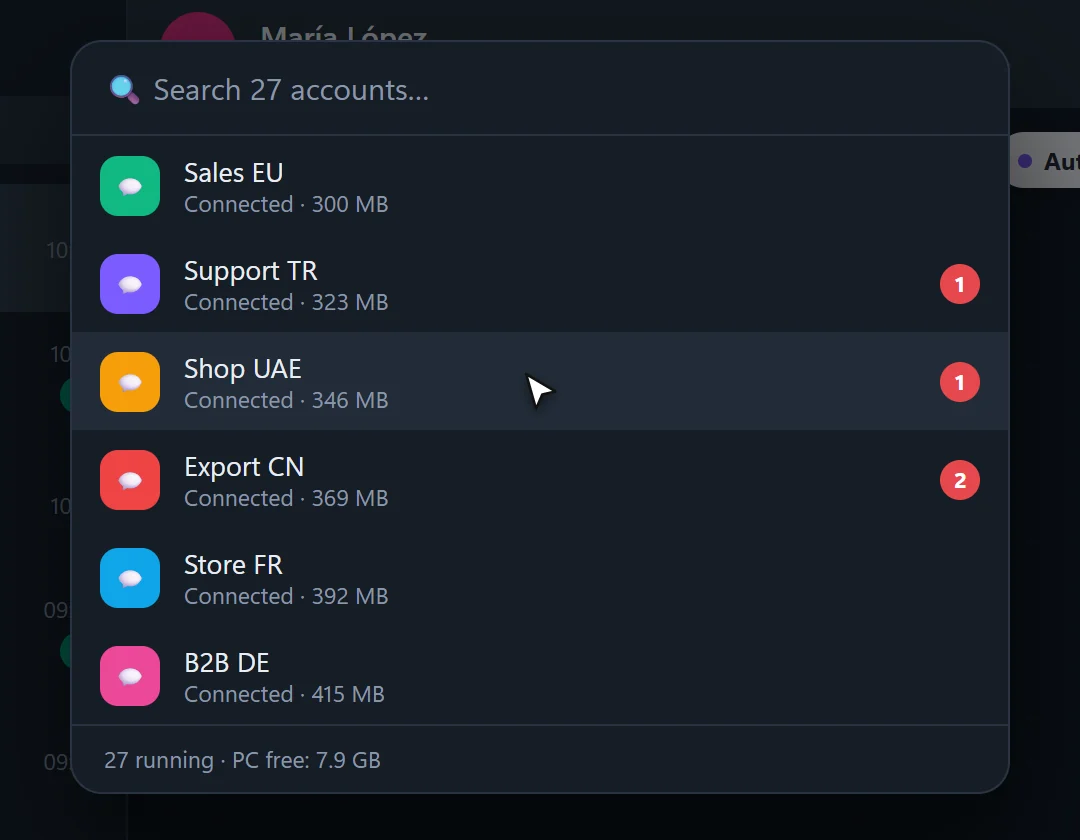
Type a few letters to jump to any account. See unread counts and status at a glance.
Label accounts by shop, country or agent — “Shop UAE”, “Clinic DE”, “Ahmed — sales”.
If one account freezes or crashes, it restarts by itself. The others keep working.
See what each account uses and put rarely used ones to sleep to keep your PC fast.
GlotChat opens the official WhatsApp Web for every account. You link each one once by scanning a QR code with that phone (WhatsApp → Linked devices). After that, accounts stay logged in, even after a restart.
| WhatsApp Desktop + Web | Browser profiles | Phone emulators | GlotChat | |
|---|---|---|---|---|
| Accounts | 2 | Several, one window each | Several, heavy on the PC | 27+ tested, one window |
| Notifications show the account | ~ | ~ | ✕ | ✓ |
| Switch in one keystroke | ✕ | ✕ | ✕ | ✓ Ctrl+K |
| Restarts frozen accounts | ✕ | ✕ | ✕ | ✓ |
| Built-in translation | ✕ | ✕ | ✕ | ✓ 49 languages |
| Cost | Free | Free | Free / paid | From 69 USDT / year |
Free methods work fine for two or three numbers. GlotChat is for when you run many — and talk to customers in other languages.
We've tested 27 at the same time. The real limit is memory: each account uses about 300–450 MB, so 8 GB RAM handles about 10 accounts and 16 GB or more handles 20–30.
Yes. Every WhatsApp account belongs to a phone number, and you link it once by scanning a QR code with that phone. The phone doesn't have to stay next to the PC.
GlotChat uses the official WhatsApp Web, so it's the same as using WhatsApp in a browser. Bans come from behaviour WhatsApp forbids — spam, bulk unsolicited messages, modified apps. Use your accounts normally and you're fine.
Yes — WhatsApp and WhatsApp Business accounts can both be linked.
Each account is linked to one GlotChat on one PC. For a team on several computers, choose Business (up to 3 PCs) or ask us for a custom offer.
Message us on Telegram — we send you the installer and your free trial key, answer your questions and help you get started.
 On a computer? Scan with your phone's camera to open Telegram.
Get a 3-day GlotChat trial with every feature unlocked. No payment, no commitment — just send us a message.
Get my free trial on Telegram