
How to buy GlotChat with USDT, step by step
Never paid with crypto before? No problem. It takes about 10 minutes the first time, and a real person helps you on Telegram at every step.
- 7 days free — no card, no payment
- Real person replies on Telegram
- From $9 / month
Short version: try GlotChat free for 7 days → message us on Telegram with your plan and Machine ID → send USDT to the address we give you → paste the key you receive. Done.
1. Try it free first
Download GlotChat and click “Start my free 7-day trial”. Every feature is unlocked, no payment. Add your accounts and make sure GlotChat is right for you before you pay anything.
2. Choose your plan
Accounts are counted per app: Starter gives you 5 WhatsApp + 5 Telegram + 5 Instagram and so on.
| Plan | Accounts per app | Computers | Price |
|---|---|---|---|
| Starter | up to 5 | 1 | $9 / month · $69 / year |
| Pro | up to 15 | 1 | $15 / month · $129 / year |
| Business | unlimited | up to 3 | $29 / month · $249 / year |
3. Copy your Machine ID
In GlotChat, open Settings → License and click Copy next to your Machine ID. Your key will be made for this computer.
4. Message us on Telegram
Write to @GlotChat with your plan and your Machine ID. We reply with the exact amount and our USDT address — only trust an address you get from @GlotChat.
5. Get USDT (if you don't have any)
USDT is a digital dollar: 1 USDT ≈ 1 US dollar. The easiest ways to get it:
- Binance or OKX: create an account, then buy USDT with your card, a bank transfer or P2P (you pay a local seller in your own currency — cash apps, bank, mobile money).
- Bybit, KuCoin, Bitget and most other exchanges work the same way.
- A friend or colleague who already has USDT can pay for you — that's fine.
6. Send the USDT — on the right network
USDT exists on several networks. We accept TRC20 (Tron), BEP20 (BNB Smart Chain) and ERC20 (Ethereum). The network you choose when sending must match the address we gave you.
- In your exchange, go to Withdraw → USDT.
- Paste our address and pick the same network we named (TRC20 or BEP20 usually have the lowest fees; ERC20 can be expensive).
- Check that the amount we receive is the full plan price — the exchange fee comes on top.
- Confirm. Then send us the screenshot or the transaction ID (TXID) on Telegram.
7. Paste your key
Your key usually arrives within minutes. In GlotChat, go to Settings → Enter a new key and paste it. Your accounts, logins and settings stay exactly as they were in the trial.
Safety tips
- Only send to an address you received from @GlotChat on Telegram. We never ask for your exchange password, seed phrase or codes.
- Double-check the network. USDT sent on the wrong network can be lost.
- Keep the TXID until your key works.
Questions before paying? Ask a real person on Telegram — we're happy to walk you through it.
Buying questions
Can I pay with a card or PayPal?
Not directly — we only accept USDT for now. The easiest way is to buy USDT with your card on Binance or OKX, then send it to us. It takes about 10 minutes.
Which network should I use?
TRC20 or BEP20 — they usually have the lowest fees. ERC20 also works but can cost several dollars in fees. Always use the network we name with the address.
How long until I get my key?
Usually within minutes after the payment arrives. A real person handles every order on Telegram.
Can someone else pay for me?
Yes. A friend, colleague or your company can send the USDT — just tell us on Telegram which payment is yours.
What happens after one year?
You renew at the same price and keep working without interruption. Your accounts and settings stay on your PC.
Another question? Ask a real person on Telegram: @GlotChat
Your next foreign customer is already typing.
Download GlotChat, click “Start my free 7-day trial” and add your WhatsApp, Telegram, Messenger, Instagram, Discord, BAND and Threads accounts. Prefer to talk first? Message us — we'll show you GlotChat on a live call or answer any question.
- Every feature unlocked
- No card, no payment
- Setup in 10 minutes
- Your chats stay on your PC
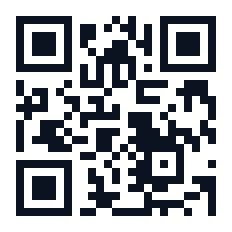 @GlotChat
On a computer? Scan with your phone's camera to open Telegram.