
Labels, catalog, quick replies
The Business features you know from WhatsApp Web work as usual, on every number.
One number per shop, country or salesperson? GlotChat opens every WhatsApp Business account side by side on your PC — each in its own sealed session — and translates every chat both ways. No API, no Meta approval, no monthly fee per number.
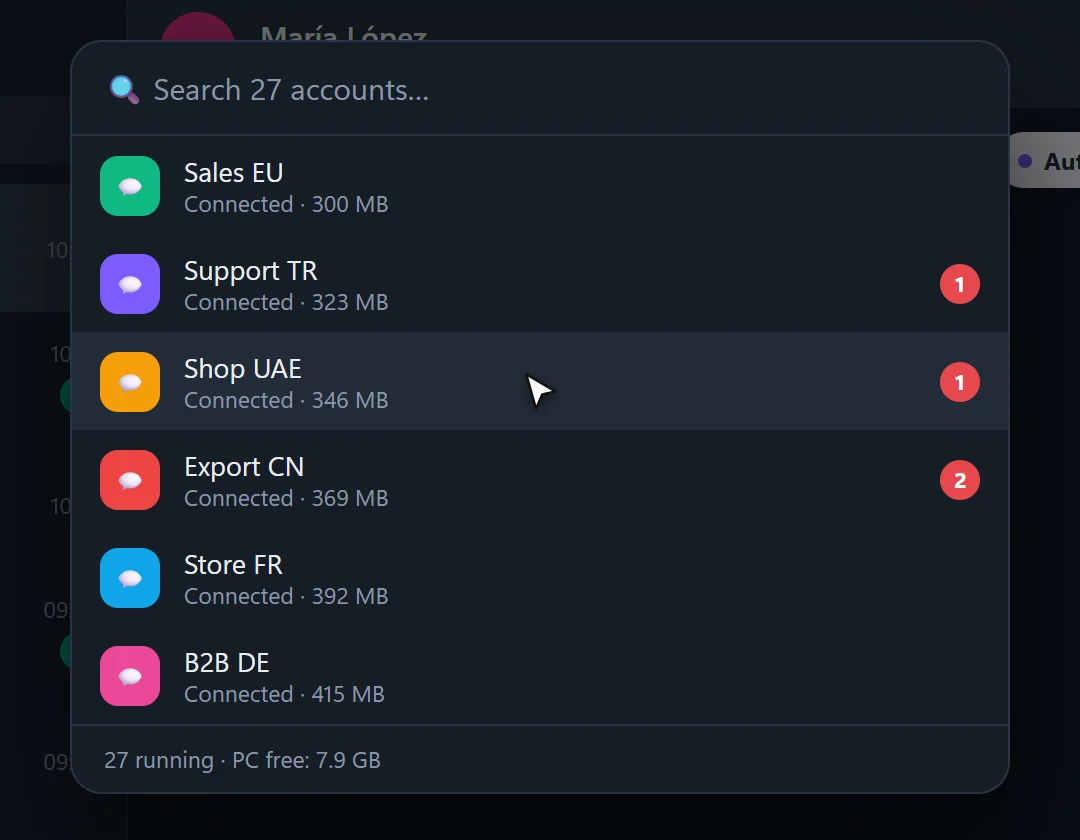
Click Add account, pick WhatsApp and name it — “Shop UAE”, “Sales — Maria”.
On the phone with that WhatsApp Business number: Settings → Linked devices → Link a device.
Switch with one click. Every notification shows which number it's for.
The Business features you know from WhatsApp Web work as usual, on every number.
Customers' messages translated under the original, your replies translated before you send them — 49 languages.
Voice notes turned into text and translated; text in photos and screenshots translated too.
Separate sessions, separate notifications and an optional proxy per number.
Prices, delivery times and payment details saved once and inserted in any chat.
Normal WhatsApp and WhatsApp Business numbers side by side — plus Telegram and more.
| WhatsApp Business API tools | GlotChat | |
|---|---|---|
| Setup | Meta business verification, a provider, templates approved | Scan a QR code — 1 minute |
| Cost | Monthly fee + price per conversation | From $9 a month, no per-message fees |
| Your existing number and chats | Usually moved to the API | Stays on your phone as it is |
| Translation | Rarely built in | ✓ Every chat, both ways |
| Best for | Big automated campaigns | People talking to customers |
Yes. In GlotChat each WhatsApp Business number runs in its own isolated session, side by side in one window — up to 5 on Starter, 15 on Pro, unlimited on Business.
No. GlotChat uses the normal WhatsApp Business app on your phone, linked like WhatsApp Web. No Meta approval, no per-message fees.
Yes. GlotChat shows the official WhatsApp Web, so the Business features available there work as usual.
Yes. Both count as WhatsApp accounts in your plan and run side by side.
Another question? Ask a real person on Telegram: @GlotChat
Download GlotChat, click “Start my free 7-day trial” and add your WhatsApp, Telegram, Messenger, Instagram, Discord, BAND and Threads accounts. Prefer to talk first? Message us — we'll show you GlotChat on a live call or answer any question.
 @GlotChat
On a computer? Scan with your phone's camera to open Telegram.
Download GlotChat and start a 7-day trial with every feature unlocked. One click in the app, no payment, no commitment.
Download & try it free Or ask us a question